Find the big ones
Sort your library by size. Browse smart groups for large files, 4K videos and high frame rates, or create your own collections.
 ClipLiteby Kiamco Tech
Big videos, lighter copies. ClipLite helps you find what takes up space and compress it with a few simple taps.
iOS 18 or later · No ClipLite account required
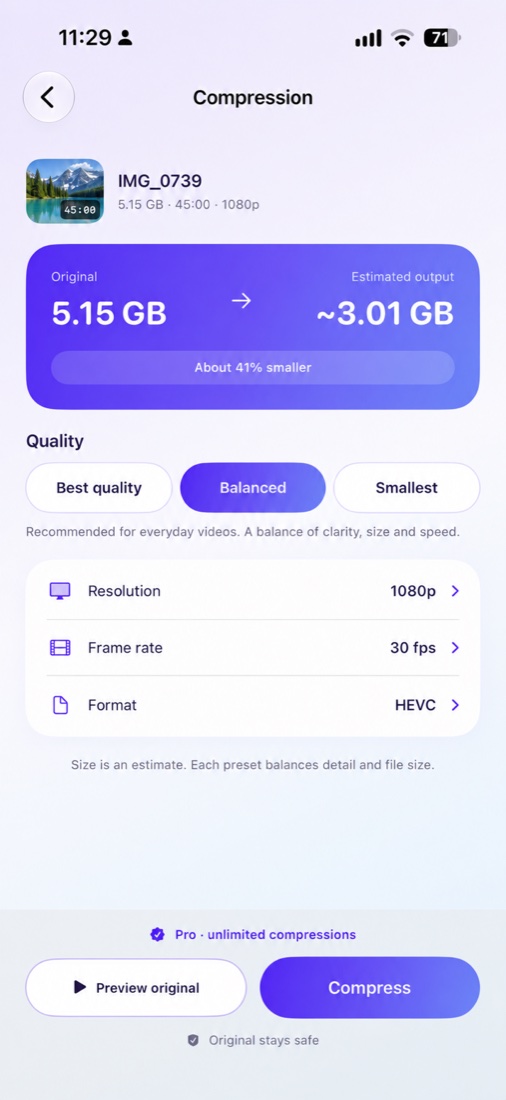 Your quality. Your choice.
Sort your library by size. Browse smart groups for large files, 4K videos and high frame rates, or create your own collections.
Best quality, Balanced or Smallest. Pick what suits your video, see an estimated size, then compare the result.
Tap Select or touch and hold a video to start choosing a batch. Keep the app open and follow the progress.
Compression runs on your device. Save your smaller copy to Photos or share it. ClipLite never deletes your Photos originals.
Compression savings vary with each video. Re-encoding can change visual quality; compare your result before sharing.
Your first three successful, smaller outputs are free. Failed, cancelled and unchanged results don’t count.
$4.99 / year (U.S.)
Unlimited single and batch compression. All quality presets.
Optional annual subscription. Renews automatically until cancelled. Local prices are shown by Apple before purchase.
Subscription details →Need help saving a copy, restoring Pro or understanding app storage?